Introduction
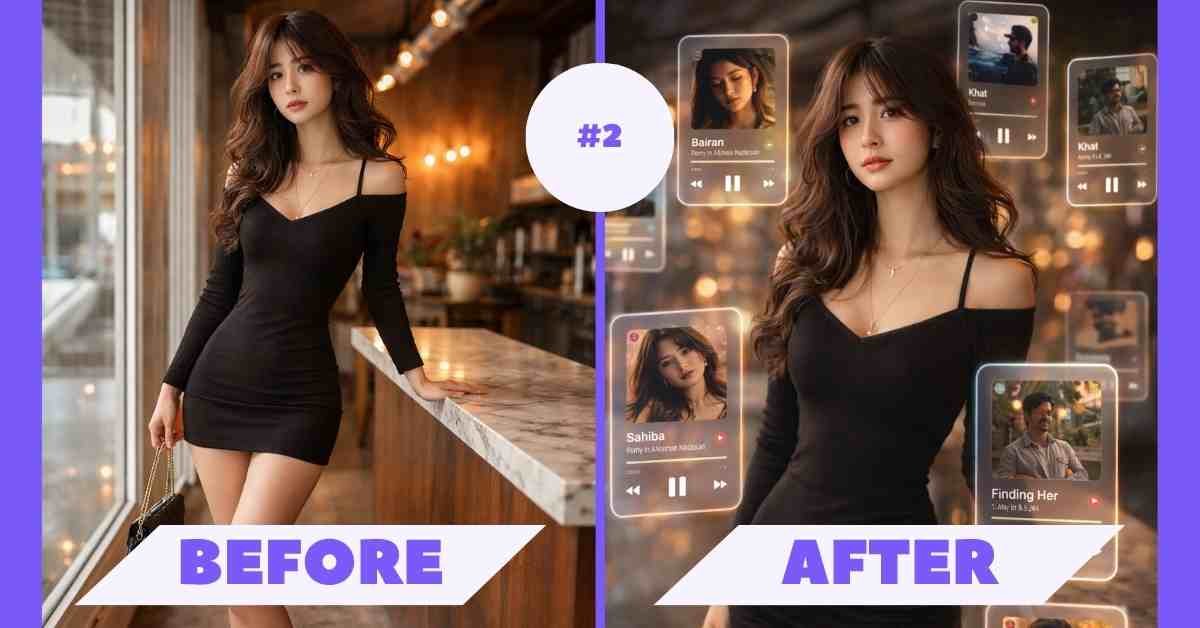
If you are searching for a viral Spotify AI photo editing prompt in 2026, then this guide is exactly what you need. Like Spotify AI photo effect, ChatGPT photo editing prompt, Gemini AI photo prompt, and floating music UI AI Image are trending right now because many creators are turning normal photos into cinematic AR style visuals with floating music player cards.
With the help of a powerful AI photo editing prompt, you can easily create a portrait featuring Spotify/Apple Music-style floating UI cards. In this article, you will get a ready-to-use prompt that works perfectly with ChatGPT and Gemini to generate high-quality, viral AI images in seconds.
Preview (What You’ll Create)
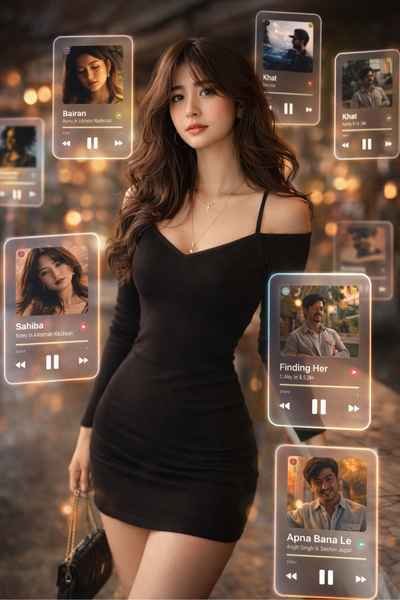
This effect includes:
- Floating music player cards
- Cinematic lighting + bokeh
- Depth of field (blurred background UI)
- Premium AR / holographic look
Copy This Prompt (Gemini / ChatGPT)
A cinematic, dreamlike AR visual featuring a central photorealistic person standing confidently, surrounded by multiple floating 3D Spotify/Apple Music interface cards. The cards orbit the subject at varying depths — some in the foreground partially covering the subject, others drifting softly in the background.Style: translucent frosted-glass UI cards with glowing borders and rounded edges inspired by Spotify and Apple Music.Lighting: soft natural tones with cinematic highlights and warm bokeh lights in the background. Add realistic reflections and subtle glow from the UI elements onto the subject’s face and body.Effects: strong depth of field with blurred background cards, sharp focus on the subject, motion accents suggesting floating animation.Include visible music player interfaces with songs: Bairan, Gehra Hua, Khat, Sahiba, Finding Her, Apna Bana Le.Subject: stylish modern girl wearing a fitted black dress, holding a small handbag, natural confident pose, soft facial expression.Environment: outdoor evening street with warm lights and cinematic atmosphere.Rendering: ultra-realistic, 4K quality, high detail skin texture, realistic shadows and highlights, professional photography look.
How To Use This Prompt
- Open ChatGPT / Gemini
- Upload your photo
- Paste the prompt above
- Click generate
- Wait a few seconds
- Download your viral AI image
Pro Tips For Best Results
- Use a full-body or half-body photo
- Keep background slightly blurred
- Wear simple or dark outfits (better contrast)
- Use evening or warm-light photos for cinematic vibe
Why This Prompt Is Going Viral
- Unique music + AI combo concept
- High engagement on Reels & Shorts
- Looks like a premium app UI scene
- Perfect for personal branding & aesthetic feeds
- ai photo editing prompt
- spotify ai photo effect
- cinematic ai portrait prompt
- gemini ai photo prompt
- chatgpt photo editing prompt
- floating music ui ai image
Final Words
In this article, I have explained the trending Viral Spotify AI Photo Editing Prompt | Create Floating Music UI Photos with ChatGPT & Gemini Style Photo Editing technique step by step. With the complete process i have also provided a powerful prompt that allows you to create a transformation style image instantly with just one click. I hope you found this article. Thanks for visiting my website.
अगर तुम अपनी photos को एक premium digital painting look देना चाहते हो, तो ये prompt जरूर try करो
ऐसे और viral AI prompts के लिए follow करना मत भूलना
It is simple, powerful, and perfect for creating viral content in seconds.
Don’t forget to share this with your friends and follow for more trending AI prompts.